Draft → e-signature → sealed PDF
Will clients actually sign?
Write the proposal in minutes, send a link, and get back a signed, ESIGN-compliant PDF — no printing, no scanning, no chasing a signature by email.
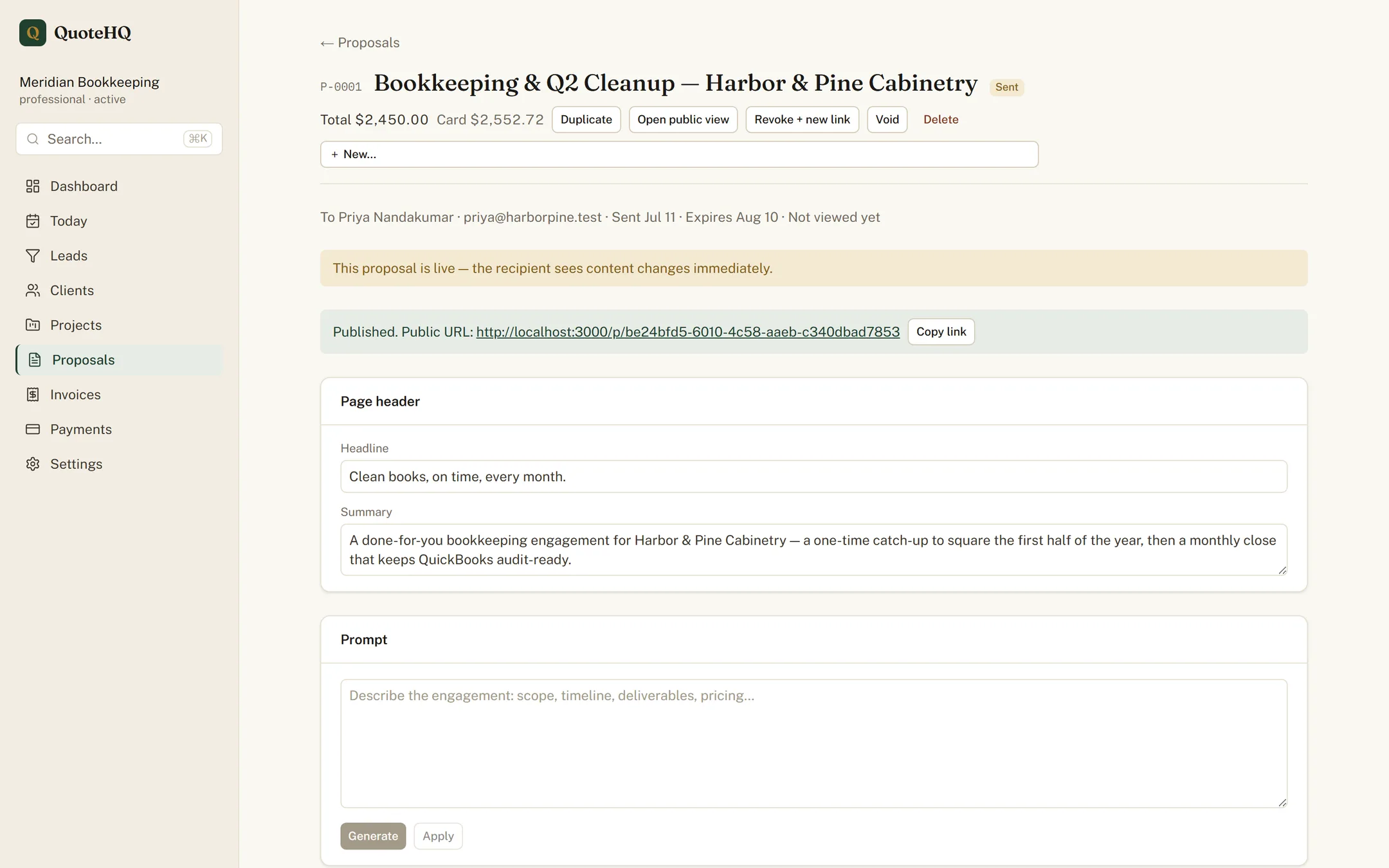
AI drafting, on your terms
Your API key, your voice.
Describe the job in a sentence. QuoteHQ drafts the scope and the priced line items, then hands you an editor to change every word. You approve every line before it goes out, so the proposal reads like you wrote it — because you did. The blank page is the part we remove, not the judgment.
Bring your own key
Drafting runs on your own AI provider key — your account, your billing, your voice. Nothing you write passes through a model you didn’t choose. Prefer to write from scratch? Turn drafting off and the editor is just an editor.
The signature
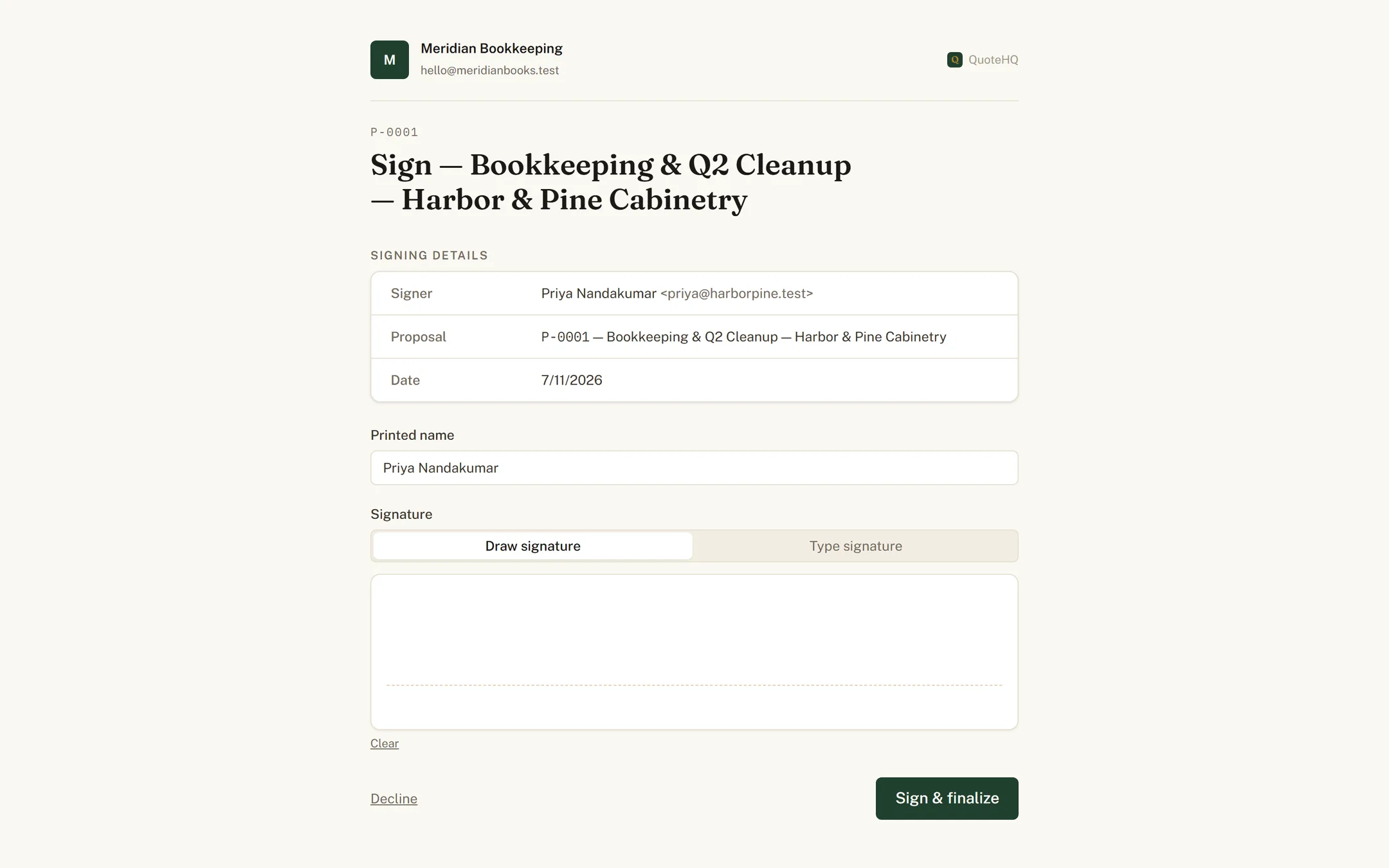
Signed in the browser, on the record.
Your client signs on the page. QuoteHQ captures their consent, their IP address, their browser, and a timestamp — the record ESIGN asks for. When the agreement needs both names, switch on countersign and add yours from the dashboard before it’s final.
& Sealed
Every completed signature is sealed the same moment it lands — nothing waits for a night job to catch up.
The audit trail
Sealed, hashed, and kept.
The moment a proposal is fully signed, QuoteHQ renders it to a PDF, fingerprints it with a SHA-256 hash, and files it in private storage. Change a single character and the hash won’t match — that is what tamper-evident means. Years on, the signed document reads exactly as it was signed.
- Fingerprint
- SHA-256 hash of the sealed PDF
- Signer
- Name, IP address, and browser
- Consent
- ESIGN consent version and text
- Timestamp
- Signed-at time, in UTC
Signed becomes scheduled and invoiced.
A signature isn’t the finish line — it’s the handoff. The same lines the client just agreed to set the work on a schedule and raise the invoice, with nothing re-typed in between.
Proposal-heavy work? QuoteHQ for consultants and for contractors.
Draft your first proposal today.
Start free, describe a job, and send a signable proposal before the afternoon is out.