For bookkeepers & accounting firms
The CRM for bookkeepers — billing that posts itself.
Invoice your clients, collect on autopay, and let every entry post to QuickBooks Online — categorized — so the close is a review, not a re-key.
Your week, mapped
A firm's week isn't one ledger entry — it's a run of small ones.
QuoteHQ carries every client from the first inquiry to the close, one line at a time.
- 01Lead
An inquiry becomes a scoped engagement.
A prospective client asks what write-up or a cleanup would cost. Note it as a lead, and the next step — a quote — is one click away, not a fresh email thread.
- 02Quote
Draft the engagement letter in minutes.
Build the letter from line items — monthly write-up, a one-time cleanup, an advisory retainer — and send a clean, branded proposal your client reads on a phone.
- 03Signed
The client signs online — no printing.
An ESIGN-compliant signature lands in the browser. You get a sealed, timestamped PDF, and the engagement is on the record before the first invoice goes out.
- 04Scheduled
The client lands on your work board.
A signed engagement adds the client to your month-close board — the stage each one is at, without a spreadsheet to keep straight.
- 05Invoiced
Bill it without leaving the record.
Raise a one-off invoice for a cleanup, or set a monthly write-up on a recurring schedule that mints and sends itself. One-off and standing engagements both bill from the same place.
- 06Paid
Autopay collects on the day it's due.
Put a card on file with the client's consent and autopay charges it the day the recurring bill is due — you stop chasing the same three clients every month.
- 07Booked
Every dollar posts to QuickBooks, categorized.
The invoice and the payment post the moment money moves, and any card-price difference lands categorized right alongside them. There is nothing to re-key at month-end, and the entry you'd have made by hand is already there.
The question every bookkeeper asks first
Will this touch my clients’ books?
Add a seat per team member and keep a record for every client you serve — the engagements you’ve quoted, the invoices you’ve sent them, the retainers on schedule — every dollar posting into your firm’s own QuickBooks. Advisory work — a fixed-fee retainer, a one-time cleanup — is quoted, signed, and invoiced from one place instead of four tools.
To be plain about scope: QuoteHQ runs your firm’s billing and books. It never connects to or writes into your clients’ QuickBooks files — practice management for client books is not what this is.
Questions bookkeepers ask.
How does QuoteHQ price its plans?
Three per-seat plans, billed monthly: Core at $29, Pro at $79, and Agency at $149 per user, per month. Every plan starts with a 14-day free trial and no card is required to begin. If you run write-up for several clients, add a seat per team member — there's no separate charge to accept payments.
Does it sync to QuickBooks Online?
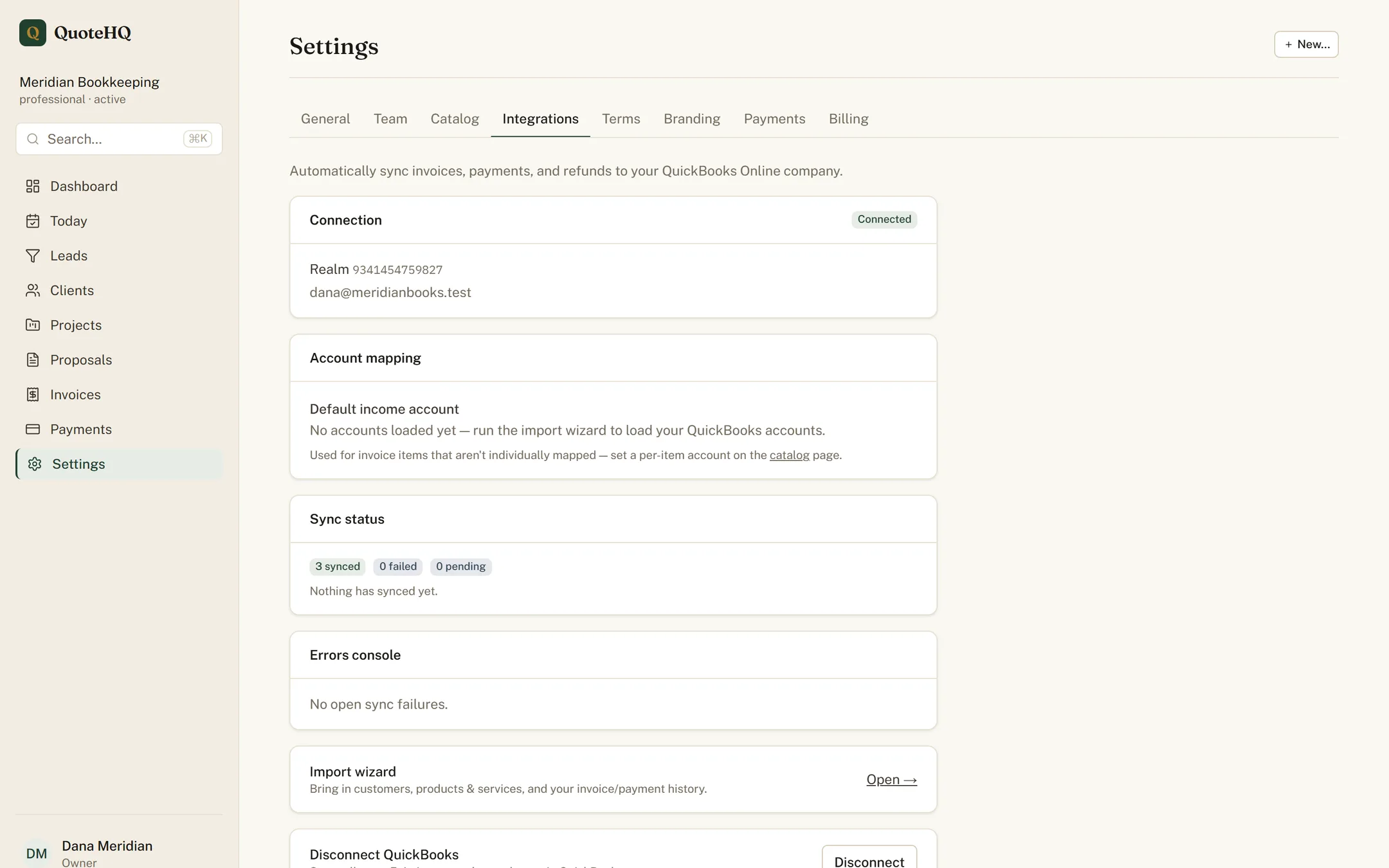
Yes. QuoteHQ pushes to QuickBooks Online for US businesses: invoices, payments, and any card-price difference post automatically and land categorized. Already keep books there? The import wizard brings your existing chart of accounts, items, and customers over in dependency order so you start connected.
Are the e-signatures on engagement letters legally valid?
They're built to the U.S. ESIGN Act. When a client signs an engagement letter or proposal, QuoteHQ captures their consent, name, IP address, browser, and a timestamp, then seals the signed document to a tamper-evident PDF fingerprinted with a SHA-256 hash and keeps it in a retained archive.
How does dual pricing land in QuickBooks?
At your price. Every invoice lists a card price — computed automatically — and a bank-transfer price. A client who pays by card covers the difference themselves; a bank transfer (ACH) carries no difference at all. Either way, revenue posts at the amount you billed, and the card difference is handled for you and kept out of your top line.
Who owns the client data I put in?
You do. For the client records you enter, QuoteHQ acts as your processor — we never sell personal information and never use your data to train general-purpose AI models. Every signed engagement letter is retained and downloadable as a sealed PDF, so your records stay yours.
Keep reading
Serve a particular trade? QuoteHQ for consultants and for home services.
Bill your clients, close the month clean.
Start the trial, connect QuickBooks Online, and let billing and the books run as one line.